
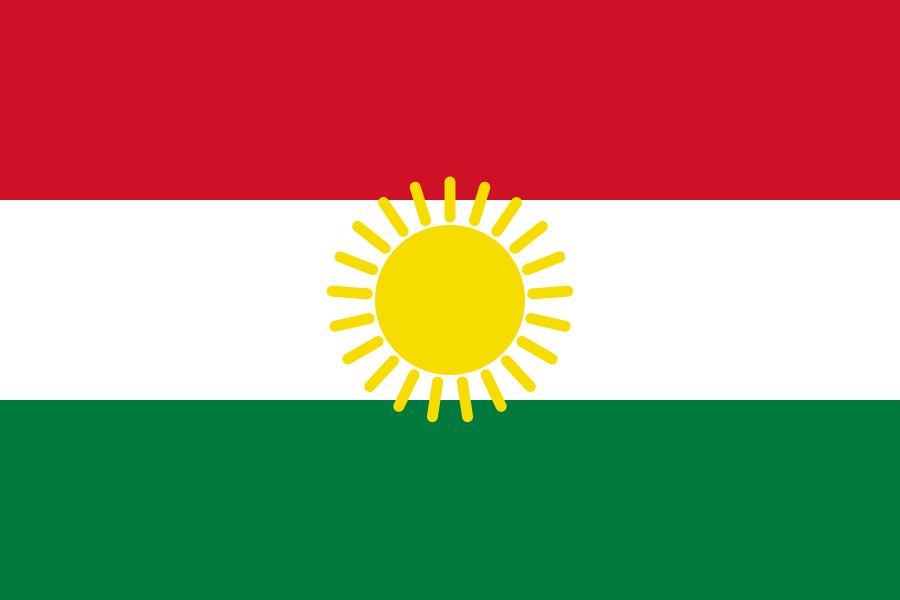

The Challenge of Typing Kurdish on Mobile Devices
Arabic-script keyboards on mobile require enabling right-to-left input in settings — which alters how your entire keyboard and sometimes your interface behaves. Switching back to your regular keyboard after each Kurdish typing session is tedious enough that most people simply give up on it.
There's a simpler approach that avoids all of that.
How to Type Kurdish on iPhone (Safari)
- Open Safari on your iPhone and go to kactyl.com/kurdish/
- Tap the Kurdish letters on the on-screen keyboard. The text appears in the editor above the keyboard.
- Tap Copy — your Kurdish text is now in your iPhone clipboard.
- Paste anywhere — open WhatsApp, iMessage, Instagram, Notes, or any app, long-press and tap Paste.
How to Type Kurdish on Android (Chrome)
- Open Chrome on your Android phone and go to kactyl.com/kurdish/
- Tap the Kurdish letters on the keyboard. Your text builds up in the text editor.
- Tap Copy to copy your complete Kurdish text.
- Switch to any app — WhatsApp, Telegram, Instagram — and long-press to paste.
Copy-Paste Works in Every App
WhatsApp, Instagram, TikTok, Snapchat, Facebook, SMS and email all accept pasted Kurdish text the same way: tap the text field, long-press, Paste. The output is standard Unicode, so it renders identically for every recipient.
How Kurdish Speakers Use Their Phones
Kurdish digital life happens in two scripts at once: Sorani speakers in Iraqi Kurdistan and Iran write the Arabic-based alphabet this keyboard provides, while Kurmanji speakers in Turkey and Syria use Latin letters — one people, two writing systems, and phones that rarely support either properly. Facebook and WhatsApp dominate daily communication in the Kurdistan Region, and the large Kurdish diaspora in Germany and Sweden types Sorani from devices with no Kurdish keyboard at all — exactly the gap a browser keyboard fills.
Common Kurdish Phrases
| Kurdish Script | Romanized | English |
|---|---|---|
| مەرحەبا | merheba | hello |
| سوپاس | supas | thank you |
| چۆنی؟ | choni | how are you? |
| خوای باش | khwai bash | goodbye |
Why the Copy-Paste Method is Better Than Installing a Language
Installing a Kurdish language keyboard on your phone changes your device settings, switches your interface language, and requires manual switching between keyboards. The Kactyl copy-paste method keeps your phone exactly as it is — you just have one browser tab open when you need to type Kurdish.
This is especially useful for:
- People who type in Kurdish occasionally but not daily
- Students or learners who need to type Kurdish for assignments
- Diaspora users who communicate in both their native language and English
- Anyone who needs to type Kurdish on a device they don't own
Additional Kurdish Typing Tips for Mobile
- Sorani uses a unique keyboard layout
- Some letters look similar — check carefully
- Right-to-left like Arabic
About the Kurdish Language
Kurdish is spoken by 30 million people primarily in Turkey, Iraq, Iran, and Syria, with large diaspora communities in Germany, Sweden, and the Netherlands. The Sorani dialect is most widely written in the modified Arabic script. Kurdish content is increasingly active on YouTube, Facebook, and Telegram as Kurdish cultural identity asserts itself digitally.
Sorani Kurdish — Writing Without Ambiguity
Unlike Arabic, the Sorani Kurdish script marks all vowels explicitly — it has vowel letters rather than optional diacritical marks. This makes written Sorani Kurdish phonetically unambiguous. The script has letters unique to Kurdish that don't appear in standard Arabic: ۆ (o), ێ (e), and ڤ (v). For Kurdish diaspora communities — particularly in Germany and Sweden, where hundreds of thousands of Kurdish speakers live — the ability to type Sorani Kurdish properly is a form of cultural preservation. Many younger diaspora members grew up speaking Kurdish at home but writing in German or Swedish at school, making a phonetic Kurdish keyboard particularly valuable.